


Controls
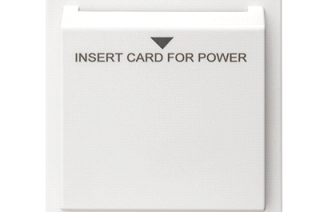
Key Card Switch Module

RM Series, Low Voltage Recessed Sensors
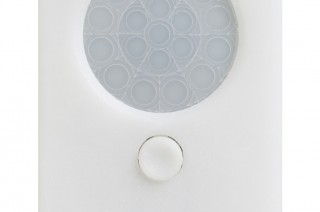
SFR 7 Low Bay Fixture Mount Sensor
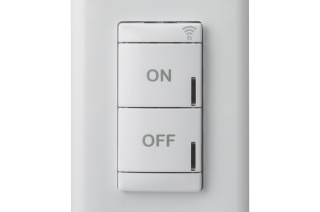
rPODL Switch
Lighting and Controls are more and more important everyday in our field. Lighting Controls methods and practices have evolved extremely quickly and keeping up with the needs and demands brought to our attention, is something we excel at here at Boston Light Source. We have invested heavily in our controls team to meet these needs and demands mentioned. With the current team we have in place, we can effectively focus on individual pieces of a project and make sure the right people are involved from specification to completion. Service is one of the things we feel sets us apart, especially since two of the six team members are field service technicians who are commissioning almost every project, are employed directly by Boston Light Source, ensuring that the level of service provided is top notch all the way through your project.
















Tech Support
Overall Acuity Tech Support
800-535-2465
Customer Support Webpage:
nLight™ Lighting Controls Support
nLIGHT Tech Support
nLight-support@AcuityBrands.com
nLIGHT Air Tech Support
nLightair-support@AcuityBrands.com
Fresco Tech Support
Frescosupport@acuitybrands.com
Sensorswitch Tech Support
SSI-support@AcuityBrands.com
Schedule a Tech Support Call
Schedule Controls Support | Request Appointment | Acuity Brands
Startup/Commissioning
Boston Light Source includes startup and commissioning on every controls quotation we provide. The size and complexity of the project, along with protocols and product included determines whether BLS or an appropriate third party will handle the commissioning.
To schedule a pre-install meeting or a startup, please contact your project manager.
Resources
Methodik: Sequence of Operations Generator (Acuity Brands)
Designing Lighting Systems and Lighting Controls (Consulting-Specifying Engineer Magazine)
DLC Networked Lighting Controls Technical Requirements (DLC)
Connected Buildings: Its Time to Go Far Beyond Smart (The Leader Magazine/Acuity Brands)
Acuity Academy Training (Acuity)
Services
In addition to providing startup and commissioning services, BLS can provide extended service contracts for your projects. Pricing is based on how many devices your installation has, and how complex it is. With varying response times and even remote service options, we can meet whatever service needs your facility has.
For more info contact:
controls@bostonlightsource.com
Phone: 617.788.2400 X100
SensorView Configuration Software Walkthrough for nLight Lighting Controls Systems


